


Quick take: you don’t need 30 apps. You need one tool for UI, one for fast marketing assets, one for your website, one or two AI helpers, and a system that keeps all of it looking like the same company.
Here’s the mistake I see founders make every single week.
They sign up for every new design tool they discover on Product Hunt. Three months later they have five logins, four logo versions, and a landing page that looks nothing like their pitch deck.
The tools weren’t the problem. The problem was using too many tools without a clear system.
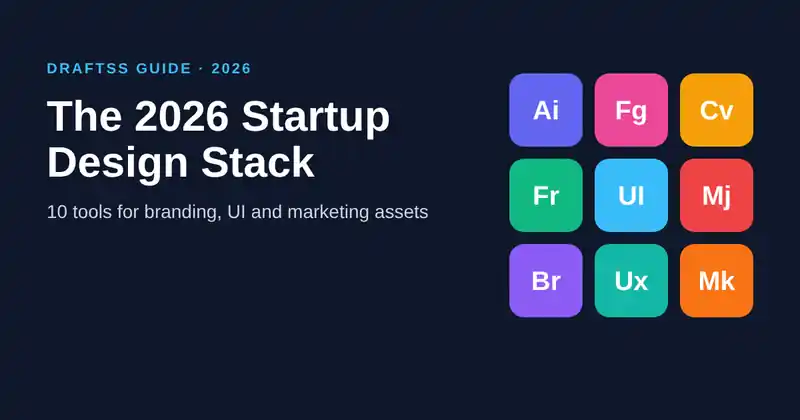
This guide covers 10 design tools worth considering in 2026, what each one does, how much it costs, and how to use them together without making your brand look inconsistent. We’ll also look at what real designers are using right now, because that tells you where the industry is heading.
What Designers Are Actually Using in 2026
Before the list, let’s look at the data. UX Tools ran its Spring 2026 prototyping survey with 1,478 designers and builders across 18 regions between March 14 and April 6, 2026. Here are the tools they use every week:
Most-used weekly tools (% of respondents)
82.6%
50.8%
48.2%
38.4%
34.8%
32.3%
Two things jump out.
First, Figma is still the most popular choice. Four out of five respondents use it every week.
Second, five of the ten most-used tools are AI tools. And 71.1% of respondents say their workflow changed in the last six months by adding AI (36.5%) or becoming AI-central (34.6%).
Figma’s own State of the Designer 2026 report, based on 906 digital designers surveyed by NewtonX, backs this up: 91% say AI tools improve their designs and 89% say they work faster with them. Keep in mind Figma sells these tools, so read the sentiment with that in mind.
The main takeaway? AI isn’t replacing design tools. It’s becoming a regular part of how people create designs. Your job is to choose the right tool for each task.
The 10 Startup Design Tools Worth Your Money
I’ve grouped these by the job they do. Prices are approximate starting points from published roundups and change often, so always check the vendor page before you buy.
Group 1: Design and Prototyping
1. Figma: your UI and brand source of truth
If you choose just one design tool, start with Figma. Figma is where your logo files, brand colors, fonts, and product screens should be stored. Paid plans start around $16 to $20 per seat per month, depending on the source and billing cycle (CostBench, 2026). The free tier is enough to start.
Use it for: app and website UI, brand guidelines, pitch deck templates, shared components.
2. Figma Make: prototypes from a prompt
34.8% of the designers in the UX Tools survey use Figma Make every week. It turns a text prompt into a clickable prototype, which is perfect for testing an idea before you pay an engineer to build it.
Use it for: quick concept validation and investor demos. Don’t treat the output as production-ready.
3. v0 by Vercel: UI to React code
v0 generates React components from a prompt. It starts around $20 per month on its premium plan according to AI Agent Rank. If you have a developer on the team, it can make the process of turning designs into working products easier.
Use it for: landing page sections and dashboard components when a developer will review the code.
Group 2: Marketing Assets
4. Canva: social posts, decks and one-pagers
Canva is the fastest way for non-designers to make on-brand marketing assets. Pro pricing is listed between roughly $12 and $18 per user per month depending on billing (CostBench). Its biggest advantage is its brand kits and templates, so your whole team stays consistent.
Use it for: LinkedIn graphics, webinar slides, simple ads, sales one-pagers.
5. Adobe Firefly: generative fill with commercial safety in mind
Firefly’s AI-powered image editing tools are available inside Photoshop and Illustrator. The standard plan starts at around $5 per month, according to published pricing guides. It’s a good choice if your team already works with Adobe files.
Use it for: extending backgrounds, retouching, and generating vector variations.
6. Midjourney: hero imagery and campaign concepts
Midjourney is a popular choice for creating high-quality, visually rich images. Entry pricing sits around $10 per month, though check the vendor for current plans. Always review licensing and disclosure rules before using AI images in paid campaigns.
Use it for: blog headers, campaign mood boards, and concept art.
7. Ideogram: images with readable text
Text inside AI images used to look like gibberish. Ideogram is designed to create images with clearer text, making it useful for exploring logo ideas and creating poster-style graphics.
Use it for: typographic concepts and quick social visuals. Never ship an AI-generated logo without a designer cleaning it up and checking that it’s ownable.
Group 3: Web, Copy and Collaboration
8. Framer: a designer-grade website without a dev sprint
Framer lets you design and publish a site visually, with hosting and CMS built in. Starter plans list from about $5 per month. It’s a good fit for marketing sites that change often.
Use it for: your homepage, campaign landing pages and a simple blog. If you’re also shopping for hosting, see our roundup of website builder and hosting deals.
9. Claude and ChatGPT: copy, research and creative briefs
Claude (50.8%) and ChatGPT (48.2%) rank second and third in the survey above. Designers use them to write short app and website text, summarize user research, and create design briefs. For a startup, the biggest win is a clear brief. An unclear brief usually leads to poor design results.
Use it for: headline variations, UX writing, competitor summaries, and turning messy notes into a design brief.
10. FigJam (or any whiteboard): where decisions get made
34% of survey respondents use FigJam weekly. It’s where you map user flows, run workshops, and agree on direction before anyone opens a design file.
Use it for: user journey maps, sprint planning and design critiques.
Comparison Table: Which Tool for Which Job
| Tool | Best for | Entry paid price* | Learning curve |
|---|---|---|---|
| Figma | UI, brand system | ~$16 to $20 / seat | Medium |
| Figma Make | Prompt-to-prototype | Bundled with Figma plans | Low |
| v0 | React UI code | ~$20 / mo | Medium |
| Canva | Social, decks, one-pagers | ~$12 to $18 / user | Low |
| Adobe Firefly | Generative fill, vectors | ~$5 / mo | Medium |
| Midjourney | Hero images, concepts | ~$10 / mo | Medium |
| Ideogram | Text-in-image graphics | Check vendor | Low |
| Framer | Marketing sites | ~$5 / mo | Medium |
| Claude / ChatGPT | Briefs, copy, research | Free tiers available | Low |
| FigJam | Flows, workshops | Free tier available | Low |
*Approximate starting prices from CostBench and AI Agent Rank. Learning-curve ratings are our own judgment. Prices change, so confirm on each vendor’s site.
How to Build Your Stack Without Wasting Money
More tools won’t fix your design. Here’s the simple framework we use with startup teams.
Step 1: Pick one home for your brand
Your logo, colors, fonts, and templates should be stored in one place. For most startups that’s Figma, with a matching Canva brand kit for non-designers.
Step 2: Match the tool to the person
Founders and marketers need easy-to-use tools like Canva. Designers need depth like Figma. Developers need designs and code they can rely on. Buy for the person doing the work, not the person approving the invoice.
Step 3: Add AI where it saves hours, not where it hurts trust
Use AI to create initial drafts, explore different design options, and resize images. Keep a human in the loop for your logo, your homepage hero and anything legal or financial. In the UX Tools survey, only 32.8% trust AI output for production with a review step, and just 1.4% trust it with no oversight. Follow the crowd on that one.
Step 4: Write down the rules
A one-page brand guide is often more useful than a 50-page document that nobody reads. Include your exact color codes, two fonts, the required space around your logo, and three examples of what to avoid. For inspiration on how teams stand out when everything looks the same, read our branding lessons from a crowded release week.
Step 5: Audit every quarter
Cancel any tool nobody has used in the last 90 days. Unused subscriptions can gradually increase your monthly expenses.
Three Starter Stacks by Stage
- Pre-seed (under $50 a month): Figma free, Canva Pro, Framer starter, plus a free AI assistant for copy.
- Seed (about $100 to $250 a month): Figma Professional seats for the design owners, Canva team brand kit, Framer for the marketing site, Firefly or Midjourney for imagery.
- Series A and up: a shared Figma design system, v0 or Figma Make for rapid prototypes, and a dedicated design partner for volume work.
The Gap No Tool Fills
Here’s the truth.
Tools can speed up the design process, but they can’t make every creative decision for you.
No app will tell you if your homepage content is confusing, your pitch deck doesn’t match your website, or your brand looks different across platforms. That requires a designer who understands your business and can make sure all your designs work together.
That’s why many startups pair their stack with an unlimited design subscription. You keep the tools you love and get a team that creates and improves your designs on time. If you want to compare providers, our guide to the top unlimited graphic design services breaks down your options, and our Website UI Highlights shows what finished work looks like. And if AI is changing your marketing plans, read how AI is reshaping marketing.
Frequently Asked Questions
What are the best startup design tools in 2026?
Figma for UI and brand systems, Canva for fast marketing assets, Framer for websites, and an AI layer such as Claude, ChatGPT, Firefly or Midjourney for drafts and variations.
Can AI design tools replace a designer?
They speed up drafts, but they don’t replace judgment. Survey data shows most designers keep a review step before anything ships.
How much should a startup spend on design tools?
Many early teams can start under $50 a month. Add seats and tools only when a real bottleneck appears.
Your Next Step
Pick your three core tools today. Write your one-page brand cheat sheet this week. Then decide who will handle your ongoing design needs.
If the answer is “nobody has time,” that’s where Draftss comes in. We handle branding, website and app design, social media graphics, and marketing materials under one subscription, helping you maintain a consistent brand. Start your Draftss trial and send your first request today.
Drop your thoughts in the comments below.
Your email address will not be published. Required fields are marked *