



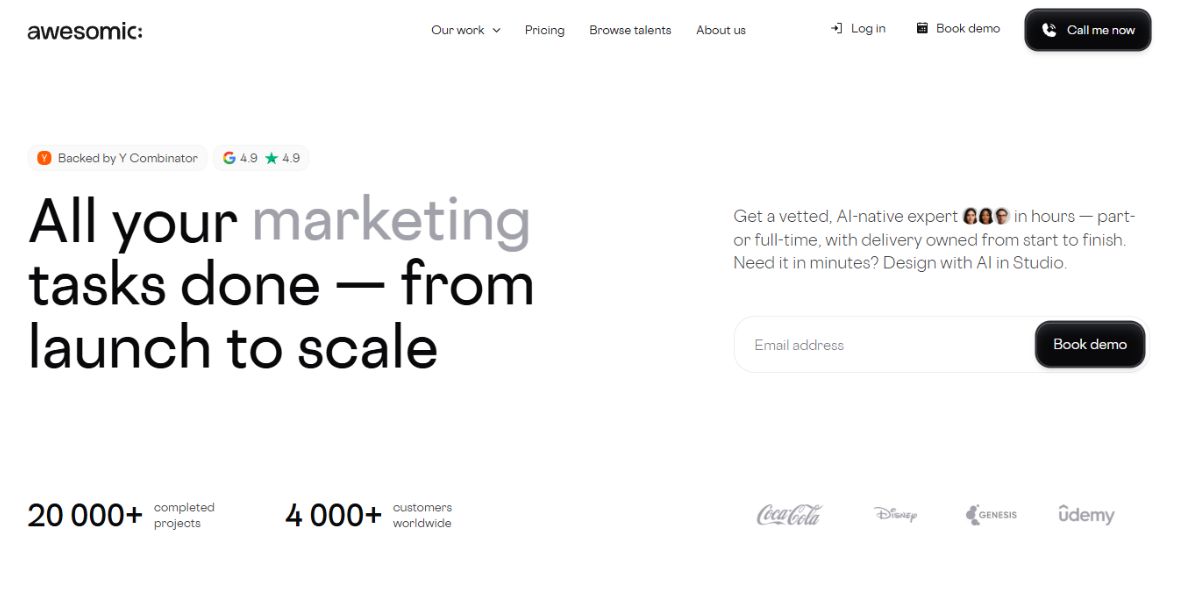
Looking for the best Awesomic alternatives usually starts with understanding what Awesomic actually offers. The platform combines AI-powered design tools with human creative talent, giving businesses a flexible way to handle ongoing design and digital creative work without hiring a full in-house team.
Awesomic offers different levels of creative support. Its AI Designer plan focuses on creating landing pages, websites, and apps, while its human-supported plans provide access to creative professionals for ongoing design work. Depending on the plan, businesses can also get services such as graphic design, no-code development, copywriting, quality assurance, and project management.
For startups, marketing teams, and growing businesses, this can be an attractive alternative to managing multiple freelancers. However, the right design subscription depends on more than the service list. Awesomic pricing, active task limits, available services, creative capacity, and workflow all matter when deciding whether the platform is a good fit.
Awesomic Pricing at a Glance
Awesomic currently offers three main plans, ranging from an AI-focused option to subscriptions that provide access to human creative talent.
| Plan | Starting Price | Active Capacity | Main Focus |
|---|---|---|---|
| AI Designer | $200/month | Multiple projects | AI-powered landing pages, websites, and apps |
| Graphic Pack | $1,490/month | 1 active task | Graphic design and creative support |
| All-in-One | $2,995/month | 1 active task | Design, copywriting, no-code development, and creative support |
Awesomic also offers quarterly billing on its human-supported plans. Choosing quarterly billing provides a lower effective monthly rate, although customers commit to a three-month billing period. If you need a dedicated talent and a PM to handle setup then there is a custom plan as well.
What Services Does Awesomic Offer?
Awesomic covers more than traditional graphic design. The services available depend on the subscription, with higher-tier plans providing access to a broader range of creative support.
Some of the services available through Awesomic include:
- Graphic design
- Landing page design
- Website and app design
- No-code development
- Copywriting
- Quality assurance
- Project management
- AI-assisted creative production
Teams can also use communication channels such as Slack, email, the Awesomic platform, and video calls, depending on their plan and preferred workflow.
Why Consider Awesomic Alternatives?
Awesomic can be a useful option, but a design subscription that works well for one team may become limiting for another. Before choosing a provider, it is worth looking beyond the headline price and checking how the service fits your day-to-day workflow.
Here are some of the main reasons businesses compare Awesomic alternatives.
Pricing and Overall Value
Awesomic’s plans cover different levels of creative support, but the cost can increase significantly when moving from AI-assisted design to human creative talent. Businesses that mainly need recurring graphic design may find better value with a provider that focuses specifically on that type of work.
Active Task Capacity
The number of requests you can work on at the same time matters when your team has several projects running. If your workflow involves multiple campaigns, client requests, or marketing deadlines, a subscription with a higher active-task limit can help prevent projects from sitting in a queue.
Broader Creative Services
Not every business needs the same type of creative support. Some may need graphic design, while others regularly require video editing, motion graphics, web development, SEO, copywriting, or marketing support. Comparing service coverage can help you avoid paying for one subscription and then hiring another provider for the work it does not cover.
Workflow and Communication
The way you submit requests, provide feedback, review designs, and communicate with your creative team can have a noticeable effect on productivity. Some businesses prefer working through a dedicated platform, while others want Slack, email, or a more direct relationship with their designers.
Scalability
Your creative requirements can change quickly as your business grows. A subscription that works for a small marketing team may become restrictive once you are managing several brands, campaigns, or client accounts. Flexible plans, additional task capacity, and a broader range of services can make it easier to scale without changing providers.
For these reasons, there is no single best Awesomic alternative for every business. The right choice depends on your budget, workload, required services, and preferred way of working. The comparison below looks at several leading Awesomic competitors to see how they differ.
Quick Comparison of Awesomic Alternatives
If you want to compare the leading Awesomic alternatives at a glance, here is how they differ in pricing, creative capacity, and service coverage.
| Provider | Starting Price | Work Capacity | Main Services |
|---|---|---|---|
| Awesomic | $200/month (AI designer) | Multiple projects on AI Designer; 1 active task on human plans | AI design, graphic design, web design, no-code, copywriting |
| Draftss | $265/month | 1 or 3 active tasks | Graphic design, UI design, motion, video, web development, SEO, PPC, copywriting |
| Penji | $995/month | 2 active workstreams | Graphic design, branding, web design, social media, video, motion |
| ManyPixels | $699/month | Queue-based or dedicated designer, depending on plan | Graphic design, web design, illustration, motion, video |
| Kimp | $499/month | Unlimited requests handled in a queue | Graphic design, video, motion, illustrations |
| Design Buffs | $1,500/month | 40 design hours/month | Graphic design, branding, UI design, web design |
| Flocksy | $1,199/month | 42 creative hours/month | Graphic design, video, motion, illustration, copywriting |
Pricing can vary depending on the plan and billing frequency.
The biggest difference between these providers is how they handle creative capacity. Some use active-task limits, while others work with dedicated designers or monthly hours. Service coverage also varies, so the cheapest option isn’t necessarily the best fit if you need more than graphic design.
The information presented in this blog has been compiled from publicly available sources and is based on information available on alternatives official websites as on August 2026.
As information may change over time, we recommend visiting the respective official websites and verifying the latest details before making any final decisions.
If you represent any of the companies mentioned and would like to update or correct any information, please feel free to reach out to us.
Top 6 Awesomic Alternatives to Consider
Businesses compare unlimited design subscriptions for different reasons. Some prioritize lower pricing, while others need greater creative capacity, broader service coverage, or a workflow that scales with growing project demands. The six providers below are compared based on pricing, active-task flexibility, creative services, and overall value.
1. Draftss
Draftss Overview
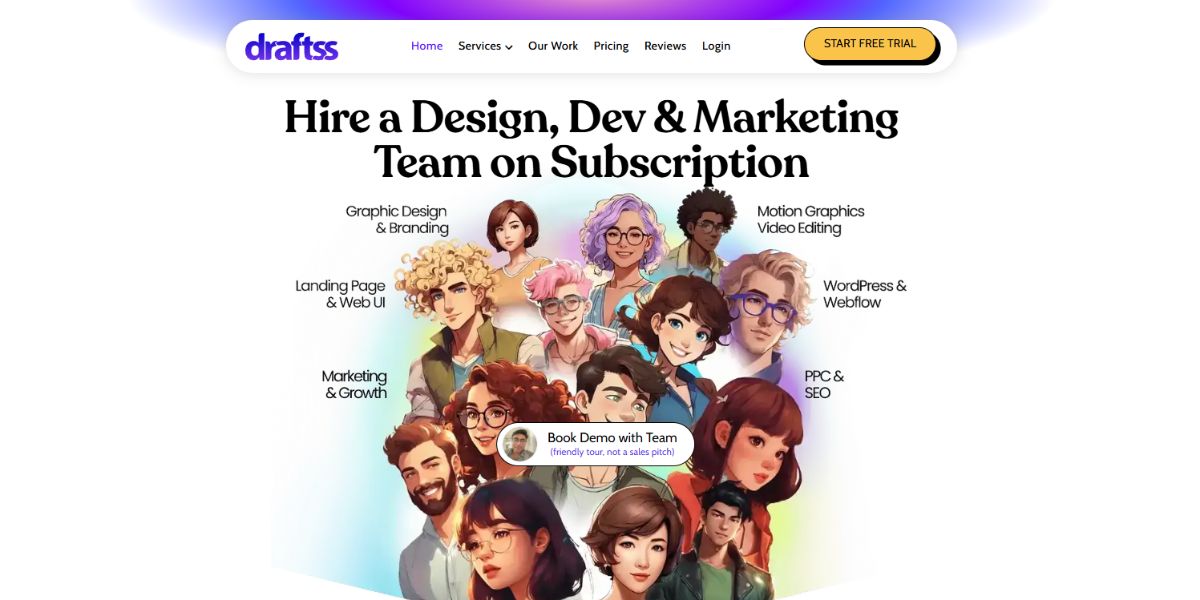
For businesses comparing Awesomic alternatives, Draftss takes a broader approach than a typical design provider. Alongside unlimited graphic design, it offers unlimited UI design, motion graphics, video editing, website development, content writing, SEO, PPC, email marketing, and social media support.
That wider scope is useful for teams whose creative workload does not stop at design. A single project might involve a landing page, ad creatives, copy, development, and promotional content. With Draftss, those requirements can be handled through the same subscription.
What Makes Draftss Different from Awsomic?
The main difference is the range of specialists available across its plans. The Graphic Team focuses on core design work, while the Creative Team adds areas such as motion, video, website UI, and app UI. The Full Team expands into development, content, SEO, PPC, and marketing.
Customers can also choose between 1 or 3 active tasks, depending on how much work they need moving at the same time. Additional requests can remain in the queue rather than requiring a separate subscription.
Draftss Plans and Pricing
| Plan | 1 Active Task | 3 Active Tasks | What It Covers |
|---|---|---|---|
| Graphic Team | $265/month | $590/month | Graphic design, branding, presentations, packaging, illustrations |
| Creative Team | $595/month | $990/month | Graphic design, motion, video, website and app UI |
| Full Team | $1,390/month | $1,790/month | Design, video, UI, development, content, SEO, PPC and marketing |
Draftss also offers a 7-day free trial, unlimited requests and revisions, unlimited brands, and no long-term contract. Draftss offers a 50% discount for the first 6 months for new customers.
What You Get With the Full Team
The Full Team is designed for businesses with a more varied workload. It includes graphic designers, motion graphic artists, illustrators, video editors, website and app UI designers, social media managers, outreach and email marketers, PPC and SEO specialists, copy and content writers, and website developers.
Development support includes WordPress, Webflow, Shopify, Framer, React, NextJS, Astro, and Wix. Content writers can handle blogs, website copy, ad copy, product descriptions, and newsletters.
Where Draftss Fits Best
Draftss makes the most sense for startups, agencies, SaaS companies, and marketing teams that need regular creative support across several channels.
For a business that only needs occasional social media graphics, the Graphic Team may be enough. Teams working on websites, campaigns, video, content, and marketing at the same time may get more value from the Creative or Full Team.
Pros
- Broad mix of design, development, content, and marketing services
- 1 or 3 active-task options
- Transparent monthly pricing
- 7-day free trial
- Unlimited requests and revisions
Cons
- Higher-tier plans are needed for development and marketing services
- Active tasks remain limited by the selected plan
- Businesses with very small design requirements may not need the broader service range
2. Penji
Penji Overview
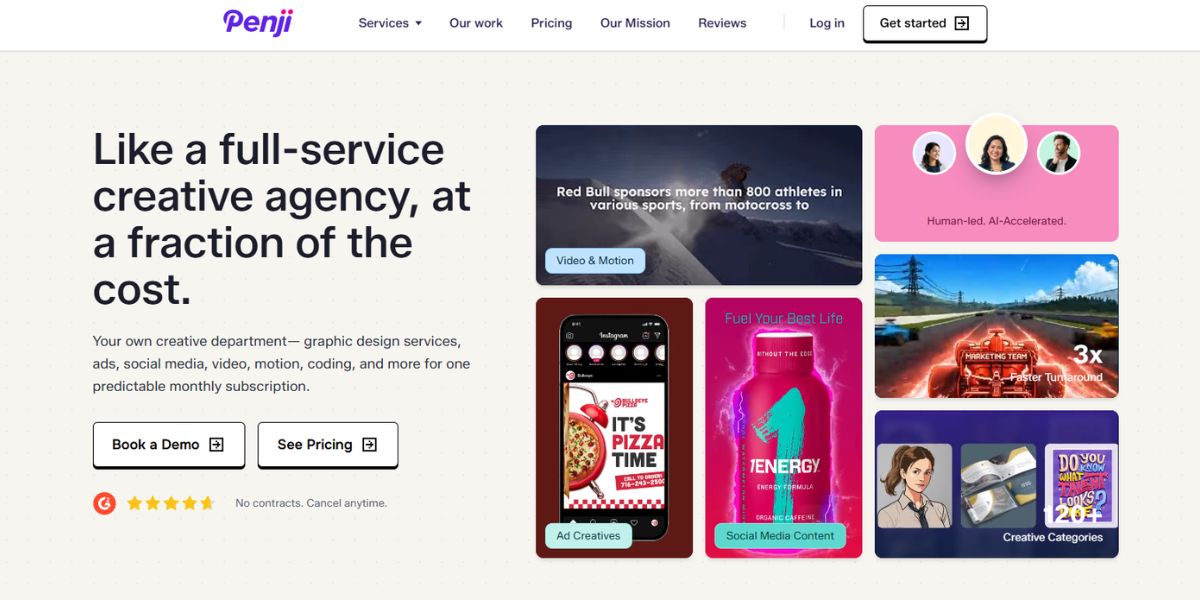
Penji is a well-established option for businesses that need ongoing creative production without hiring a full in-house design team. Its focus is primarily on design and marketing assets, with higher plans adding video, motion, web design, and development.
One thing that sets Penji apart is its managed workflow. Instead of simply handing over a design queue, the service includes creative oversight, project management, and assigned creatives depending on the plan.
Penji Plans and Pricing
Penji currently has three main plans, starting at $995/month. The number of active workstreams increases with each tier.
| Plan | Price | Active Workstreams | Main Focus |
|---|---|---|---|
| Marketing & Ads | $995/month | 2 | Branding, ads, social media, email, print, presentations |
| Agency | $1,995/month | 3 | Design + video, motion, web and landing pages |
| Creative Team | $4,500/month | 4 | Design, video, front-end development, AI video |
The plans can also be billed quarterly or yearly, with Penji listing discounts of 15% for quarterly billing and 20% for yearly billing. There are no contracts, and Penji offers a 30-day money-back guarantee.
What Can You Get With Penji?
Penji offers more than 120 design services, covering common business needs such as branding, logos, social media graphics, advertisements, presentations, illustrations, infographics, email designs, and packaging.
The Agency plan adds short-form videos, reels, motion graphics, animation, and web or landing page design. The highest-tier Creative Team plan goes further with full AI-video production and front-end development.
Where Penji Makes Sense
Penji is particularly suited to marketing teams and agencies that have a steady stream of creative work. The Agency plan is designed specifically for agencies and includes a white-label platform for design work, while the Creative Team is aimed at organizations managing campaigns across multiple brands, departments, or regions.
Its workflow is also worth considering if speed is important. Penji states that most projects are delivered in one business day, although more complex work such as motion graphics and multi-page presentations can take longer.
The Trade-Offs
- Starts at $995/month
- Front-end development is only available on the highest plan
- The lower plan is focused mainly on creative production rather than broader marketing execution
- No free trial, although the 30-day money-back guarantee provides a longer evaluation period
3. Design Buffs
Design Buffs Overview
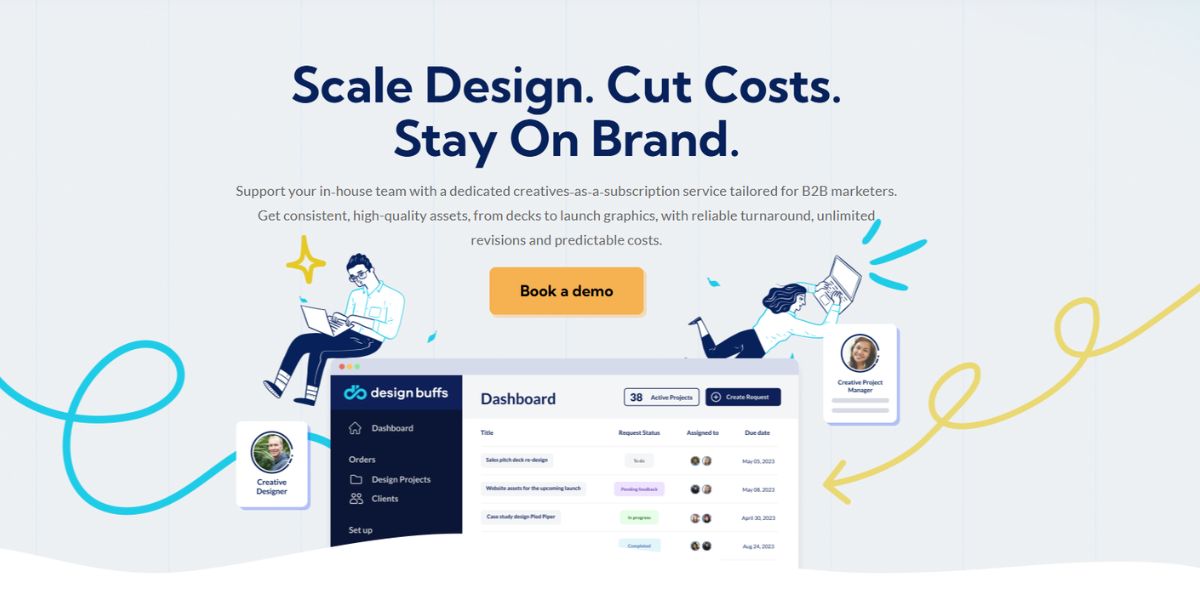
Design Buffs takes a slightly different approach to creative subscriptions. Instead of giving customers an unlimited task queue, it sells a set amount of design capacity each month. That makes it easier to understand how much design support you’re actually getting.
It is built mainly for B2B teams that need ongoing creative help across marketing and sales materials, rather than businesses looking for a full development or marketing team.
Design Buffs Pricing
Design Buffs currently offers two core plans:
| Plan | Design Capacity | Monthly Price |
|---|---|---|
| Essential | 40 hours/month | $1,500/month |
| Growth | 80 hours/month | $2,800/month |
Quarterly billing brings the effective price down to $1,400/month for Essential and $2,600/month for Growth. Annual billing reduces those prices further to $1,238/month and $2,310/month, respectively.
Both plans include access to the Design Buffs platform, creative onboarding, unlimited revisions, and a flexible subscription structure. However, there is a three-month minimum commitment, so it is not quite as flexible as a month-to-month service with no initial commitment.
What Does Design Buffs Offer?
The service covers everyday creative requirements such as social media graphics, presentation design, landing pages, marketing design, print design, illustration, and motion design.
Businesses that need Webflow work can also add Webflow design and development for $999/month. The add-on requires an active design subscription.
Is Design Buffs Right for You?
The hours-based model can work well when you have a reasonably predictable design workload. A marketing team that knows it needs around 40 hours of creative support each month can choose the Essential plan without paying for a much larger production setup.
The trade-off is that teams with unpredictable workloads may find an unlimited subscription more convenient. Design Buffs also requires an initial three-month commitment, which is worth considering if you’re only looking for short-term design help.
Pros
- 40 or 80 hours of monthly design capacity
- Unlimited revisions
- Creative onboarding included
- Webflow design and development available as an add-on
- Lower effective rates with quarterly or annual billing
- Subscription can be paused or cancelled after the minimum commitment
Cons
- Three-month minimum commitment
- Higher starting price than some unlimited design services
- Design capacity is measured in hours rather than active tasks
- Webflow development costs extra
4. ManyPixels
ManyPixels Overview
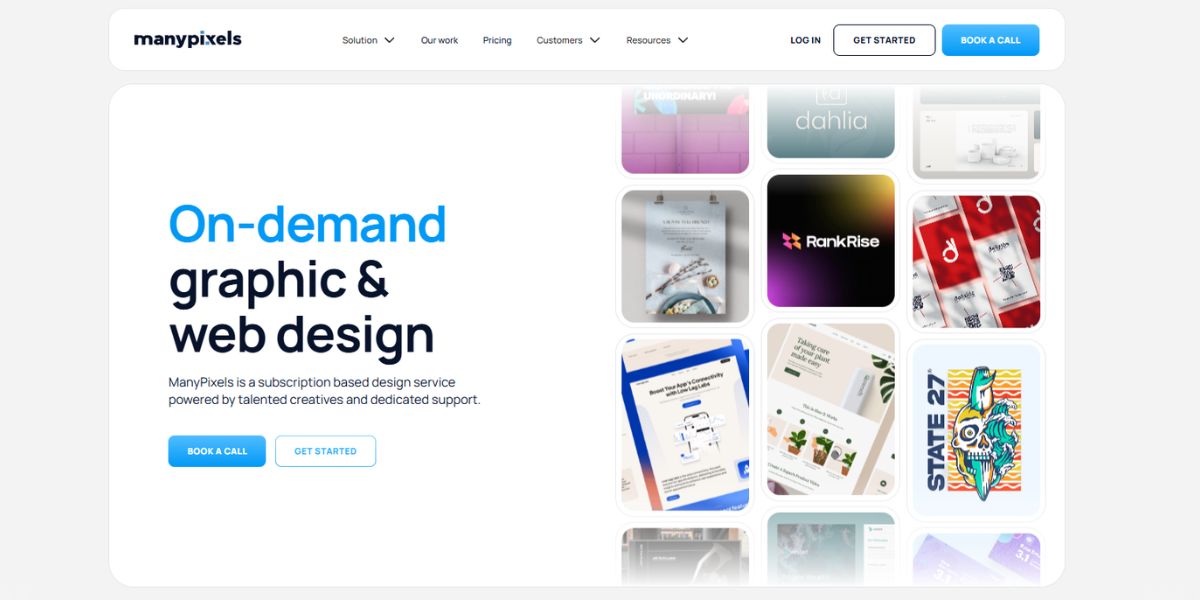
ManyPixels takes a slightly different route from Awesomic. Instead of putting AI at the center of its offering, it focuses on giving businesses ongoing access to a professional design team through a flat monthly subscription.
There are also two ways to work with ManyPixels. The lower-priced plans give you access to its broader design team, while the higher tiers assign a specific designer or team of designers to your account. That distinction can matter if brand familiarity and consistent collaboration are important to your workflow.
ManyPixels Pricing
ManyPixels currently has four monthly plans:
| Plan | Price | Capacity | Best Suited For |
|---|---|---|---|
| Advanced | $699/month | 1 daily output | Regular design requests |
| Business | $1,199/month | 2 daily outputs | Higher-volume creative work |
| Assigned Designer | $1,399/month | 1 part-time designer | Ongoing collaboration |
| Design Team | $2,599/month | 2 part-time designers | Larger creative workloads |
The Advanced and Business plans work through a daily-output model, while the Assigned Designer and Design Team plans provide dedicated part-time designers. All plans include unlimited requests and revisions, and ManyPixels says customers can scale up, scale down, pause, or cancel without a contract.
What ManyPixels Covers
The service goes beyond standard graphic design. Depending on the plan, businesses can request branding, social media graphics, presentations, advertisements, illustrations, landing pages, website designs, motion graphics, and video editing.
ManyPixels also includes a project manager and quality control process. On the dedicated-designer plans, customers can choose their designer based on their portfolio, availability, and skill set.
One Detail Worth Knowing
The word “unlimited” can be a little misleading if you interpret it as unlimited simultaneous production.
You can submit as many requests as you want, but the actual amount of work completed depends on the plan’s daily output and the complexity of each project. ManyPixels says simple requests and revisions can sometimes be shared within the same daily output, while larger projects such as websites and full brand identities can take several days.
That makes ManyPixels a better fit for teams that have continuous creative work rather than expecting several large projects to be completed instantly.
Pros
- Starts at $699/month
- Unlimited design requests and revisions
- Graphic and web design included
- Motion graphics and video editing available
- Project manager and quality control included
- Dedicated designer options available
- No long-term contract
Cons
- Daily output limits the practical amount of work completed
- Same-day delivery is reserved for the dedicated-designer plans
- Dedicated designer plans cost considerably more than the entry tier
- Complex projects can take multiple days
5. Flocksy
Flocksy Overview
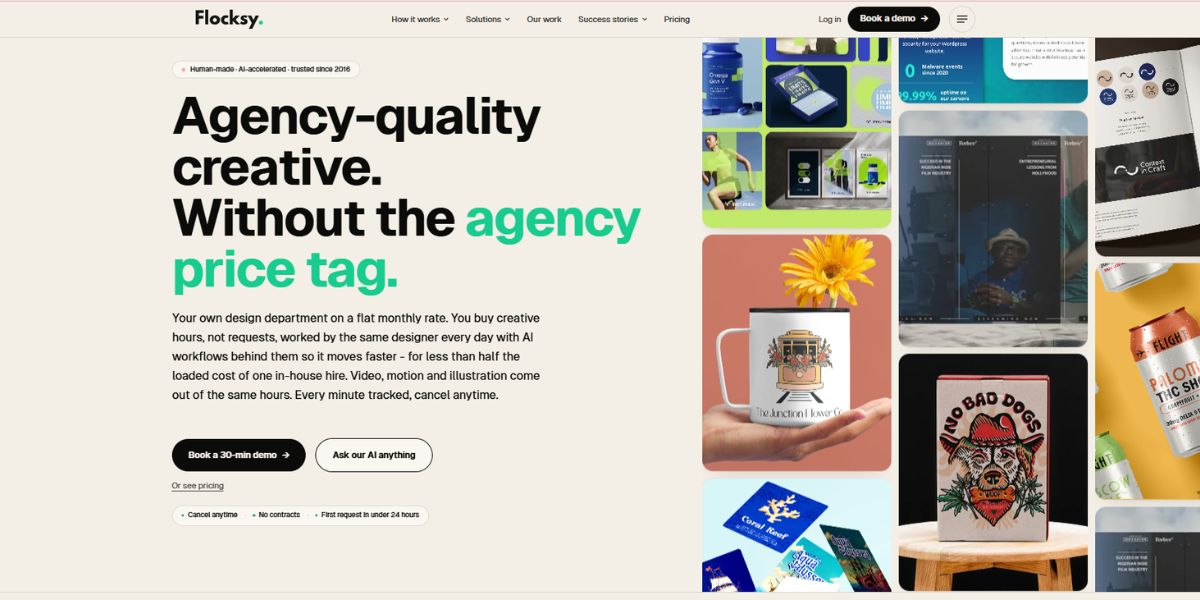
Flocksy is built for teams that have creative work coming in every day and need more than just occasional graphic design. Its subscription combines design, video, motion, illustration, and copy support under one creative team, with the amount of production time increasing as you move up the plans.
Instead of limiting customers to a fixed number of active requests, Flocksy charges based on daily creative hours. You can keep multiple projects moving at the same time, while the team’s working time is tracked against your plan.
Flocksy Pricing
Flocksy currently offers plans from 2 to 8 Daily Hours. Monthly pricing starts at $1,699/month, while annual billing brings the starting price down to $1,199/month.
| Plan | Monthly Billing | Annual Billing | Monthly Creative Hours |
|---|---|---|---|
| 2 Daily Hours | $1,699/month | $1,199/month | 42 hours |
| 3 Daily Hours | $2,399/month | $1,699/month | 63 hours |
| 4 Daily Hours | $3,099/month | $2,199/month | 84 hours |
| 5 Daily Hours | $3,799/month | $2,599/month | 105 hours |
| 6 Daily Hours | $4,499/month | $2,999/month | 126 hours |
Quarterly billing is also available between the monthly and annual rates. Flocksy offers larger 7 and 8 Daily Hour plans as well, plus custom plans for teams requiring more capacity.
More Than Just Graphic Design
Flocksy’s service range is one of the main reasons teams consider it. Every plan provides access to 140+ creative services, including graphic design, branding, video editing, motion graphics, illustration, presentation design, social media content, print collateral, and web design.
Copy support is also available, so teams can handle different types of creative production without bringing in separate specialists for every project.
There is an important distinction with web work, though. Flocksy provides website and landing page design, but it does not handle coding, hosting, or website development. The finished designs are handed off to the client’s developer or web team.
How the Daily-Hour Model Works
The daily-hour model is useful for teams that have a steady stream of work but don’t want to manage individual project quotes.
For example, a team might use its hours for a social media campaign one day, move to a presentation the next, and then spend time on video or motion work later in the week. Multiple projects can remain in progress, while the available capacity determines how quickly the queue moves.
Flocksy also lets unused hours roll over for up to 30 days while the subscription remains active. That can be useful when one month is relatively quiet and the next involves a product launch or larger campaign.
On plans with 4 or more Daily Hours, a Production Coordinator is included. Plans with 6 or more Daily Hours also add an Art Director, giving larger teams another layer of creative management.
What to Keep in Mind
Flocksy makes sense when you want a broader creative department rather than a service dedicated only to static design. The trade-off is that its pricing is based on creative hours, so businesses need to think about expected workload rather than simply counting active requests.
It is also worth remembering that Flocksy is not a web development or paid marketing service. If your requirements include coding, SEO, PPC, or other technical marketing work, you would need another provider for those areas.
Pros
- 140+ creative services
- Same dedicated creative team across plans
- Graphic design, video, motion, illustration, and copy support
- Multiple projects can run in parallel
- Unused hours roll over for up to 30 days
- Production Coordinator included on 4+ Daily Hour plans
- Art Director included on 6+ Daily Hour plans
- No contracts and cancel-anytime flexibility
- 14-day money-back guarantee
Cons
- Entry pricing is higher than several design-only subscriptions
- Creative capacity is measured in hours rather than active tasks
- Web services cover design, not development or coding
- Higher capacity plans can become expensive for smaller teams
6. Kimp
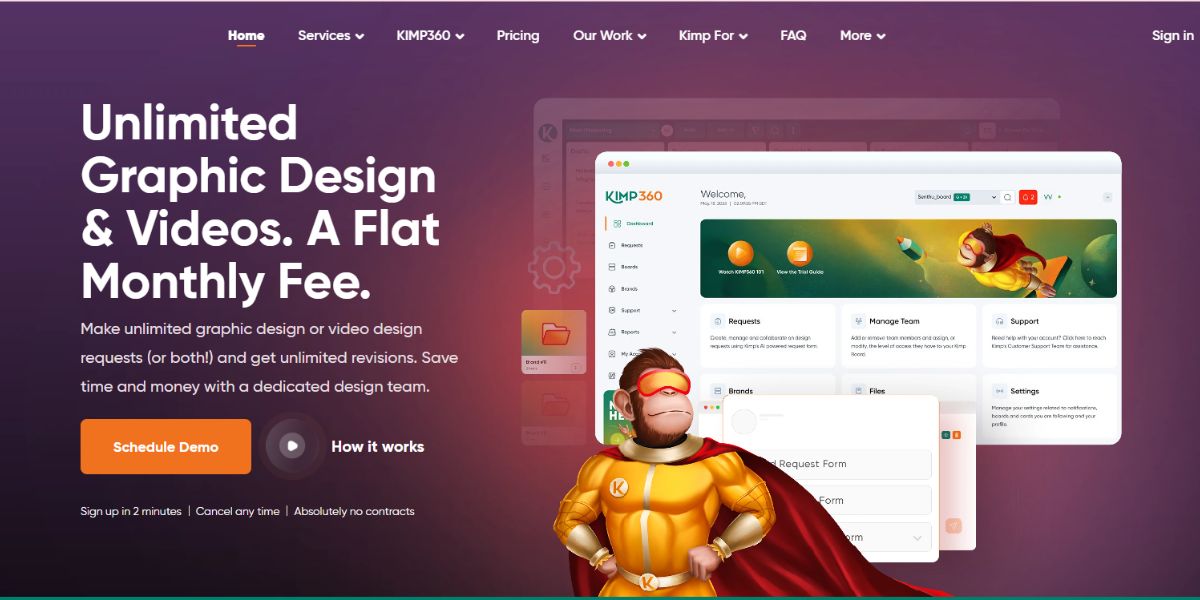
Kimp Overview
Kimp keeps its subscription model fairly straightforward. Instead of creating several pricing tiers with different feature bundles, it separates its service based on the type of creative work a business needs: graphic design, video design, or both.
That simplicity can be useful for teams that already know what kind of creative support they need. You choose the service, get a dedicated team and project manager, and submit as many requests as you want.
Kimp Pricing at a Glance
Kimp currently offers three main subscriptions:
| Plan | Price | Active Requests | Best For |
|---|---|---|---|
| Kimp Graphics | $1,397/month | 3 | Static graphic design |
| Kimp Video | $1,397/month | 2 | Video and motion graphics |
| Kimp Graphics + Video | $1,697/month | 5 | Teams needing both |
Kimp also offers a 7-day free trial, and there are no contracts or cancellation penalties. New customers can currently receive 50% off for the first four months, subject to the applicable offer.
What You Can Actually Request
Kimp Graphics covers a broad range of everyday design work, from logos, social media creatives, presentations, brochures, packaging, illustrations, landing pages, website designs, app UI, and Canva designs.
The Video subscription focuses on video editing, animation, motion graphics, GIFs, template customization, and UI animations. If you need both types of work, Graphics + Video combines the two under one subscription.
One useful detail is that Kimp does not charge extra for several services that can sometimes sit behind higher tiers elsewhere. Custom illustrations, landing page designs, GIFs, and UI designs are included with the Graphics subscription.
How Kimp Handles the Work
You can submit unlimited requests and revisions, but only a set number can be actively worked on at once. Kimp says the Graphics plan supports 3 active requests, Video supports 2, and Graphics + Video supports 5.
A dedicated project manager helps organize the queue, so you can change priorities when deadlines shift. Kimp also says simple requests can be turned around in as little as 24 hours, while more complex work can take 2 to 4 days.
Another practical benefit is that you can add unlimited team members to the account without paying extra, and source files are included with the designs you receive.
Where Kimp Fits Best
Kimp makes the most sense for businesses that have consistent visual content needs and want a dedicated creative team rather than hiring individual freelancers for every project.
The Graphics + Video plan is particularly useful for marketing teams producing a mix of static campaigns, social content, animations, and video. On the other hand, a company that mainly needs website development, SEO, PPC, or copywriting will need additional specialists because Kimp’s core subscriptions are focused on design and video.
Pros
- Simple three-plan structure
- Unlimited requests and revisions
- 3 active requests on Graphics and 5 on Graphics + Video
- Dedicated creative team and project manager
- 100+ design categories
- Graphic, video, motion, illustration, UI, and landing page support
- 7-day free trial
- No long-term contract
- Source files included
Cons
- Higher starting price than several alternatives
- Focused primarily on design and video rather than development or broader marketing
- Video-only plan supports 2 active requests
- The unlimited model still has active-request limits
Best for: Marketing teams, agencies, and businesses with a steady flow of graphic or video work that want a dedicated creative team without committing to a traditional in-house design department.
How to Choose the Right Design Partner
The cheapest design subscription is not necessarily the best one. The right choice depends on how your team works, what you need designed, and how much creative work you expect each month.
Before signing up, look at these five things:
1. Start With Your Workload
Think about the work sitting in your design queue right now. If most requests are social posts, banners, presentations, and other small assets, a basic design subscription may be enough.
If you’re regularly working on websites, videos, landing pages, animations, or multiple campaigns at once, you’ll need more capacity and a broader service mix.
2. Compare Capacity, Not Just “Unlimited” Claims
Most design subscriptions use the word unlimited, but the way that unlimited service works can be very different.
Some providers limit active requests. Others use daily outputs, monthly design hours, or dedicated designers. Look at how much work can actually be produced at one time rather than comparing the word “unlimited” on each homepage.
3. Check the Services You Will Actually Use
A long service list looks impressive, but only matters if it matches your workflow.
For example, a company that only needs graphic design doesn’t necessarily need a premium plan with video and development. On the other hand, a growing marketing team may save time and money by choosing one provider that can handle design, video, development, and other creative requirements.
4. Look at the Total Cost
Don’t compare monthly prices in isolation. Check what is included at that price, whether important services require an upgrade, and whether the provider offers monthly, quarterly, or annual billing.
Also consider whether you need separate freelancers or agencies for services that aren’t included. A slightly more expensive subscription can sometimes cost less overall if it replaces several vendors.
5. Think About Your Workflow Six Months From Now
Your current design needs may not stay the same.
A startup might begin with social media graphics and pitch decks, then move into landing pages, product UI, video, and campaign assets as it grows. Agencies can face a similar increase when they take on more clients.
Choose a design partner that can handle that growth without forcing you to rebuild your entire creative workflow.
So, Which Awesomic Alternative Should You Choose?
There isn’t one answer for every business. Draftss is a strong option for teams that want design alongside development and marketing services. Penji suits businesses and agencies focused heavily on managed creative production. ManyPixels is worth considering if you prefer daily output or dedicated designers, while Kimp works well for teams with consistent graphic and video requirements. Flocksy is better suited to businesses that want a broader creative team and an hours-based model. Design Buffs makes sense when you prefer a defined number of design hours each month.
The best Awesomic alternative is ultimately the one that fits your workload, budget, and workflow without making you pay for capacity or services you don’t need.
Why Choose Draftss?
Draftss is a strong option for businesses that need more than graphic design from a creative subscription. Its plans cover everything from everyday design work to motion graphics, video editing, UI design, development, content, SEO, PPC, and marketing support.
The Graphic Team starts at $265/month, with 1 Active Task. Businesses that need more work moving at once can choose the 3 Active Tasks plan at $590/month. The Creative Team starts at $595/month, while the Full Team starts at $1,390/month for 1 Active Task.
Another advantage is the choice between 1 or 3 Active Tasks across the plans. This gives teams more control over how they manage their workload instead of being locked into one fixed workflow.
Draftss also includes unlimited requests, unlimited revisions, unlimited brands, and unlimited team members, along with a 7-day free trial. There is no long-term contract, so businesses can cancel when their needs change.
Conclusion
Awesomic can make sense for teams that want AI-assisted design or dedicated creative talent, but it is not the only option. The right choice depends on how much creative work you have, how many tasks you need to manage at once, and whether you need services beyond design.
Among the best Awesomic alternatives in 2026, Draftss stands out for teams that want a wider range of services under one subscription. Its plans cover graphic design, motion graphics, video, UI design, development, content, SEO, PPC, and other marketing services, with 1 or 3 Active Task options.
If you are comparing providers based on price, service range, and flexibility, it is worth looking beyond the headline subscription cost. The better fit is the one that can handle your actual workload without forcing you to add another provider later.
Frequently Asked Questions
What is the best alternative to Awesomic?
Draftss is one of the strongest Awesomic alternatives for businesses that need more than design. It offers graphic design, motion graphics, video editing, UI design, development, content, SEO, PPC, and other marketing services under different subscription plans.
Is Draftss more affordable than Awesomic?
It depends on which Awesomic plan you compare. Awesomic offers both AI-based and human talent plans, while Draftss starts at $265/month for 1 Active Task on its Graphic Team plan. Higher Draftss plans add services such as motion design, video, UI design, development, and marketing.
Does Awesomic offer a free trial?
Awesomic’s current plans should be checked before subscribing, as trial and guarantee terms can change. Draftss currently offers a 7-day free trial on its subscription plans.
Which Awesomic alternative is best for startups?
Draftss is a practical option for startups because it offers flexible active-task options and the ability to scale from graphic design to development and marketing services as the business grows.
Can I get more than graphic design with Draftss?
Yes. Draftss offers more than graphic design. Depending on the plan, you can also get motion graphics, video editing, illustrations, website and app UI design, website development, copywriting, SEO, PPC, email marketing, and social media management.
Drop your thoughts in the comments below.
Your email address will not be published. Required fields are marked *