

Bitwarden
Bitwarden’s pricing page separates Personal and Business plans into two tabs and shows low annual prices, from $1.65 a month for Premium, beside an always-free plan.
Bitwarden Pricing Page Design
$0 - $49 5+ Plans
Launch Website
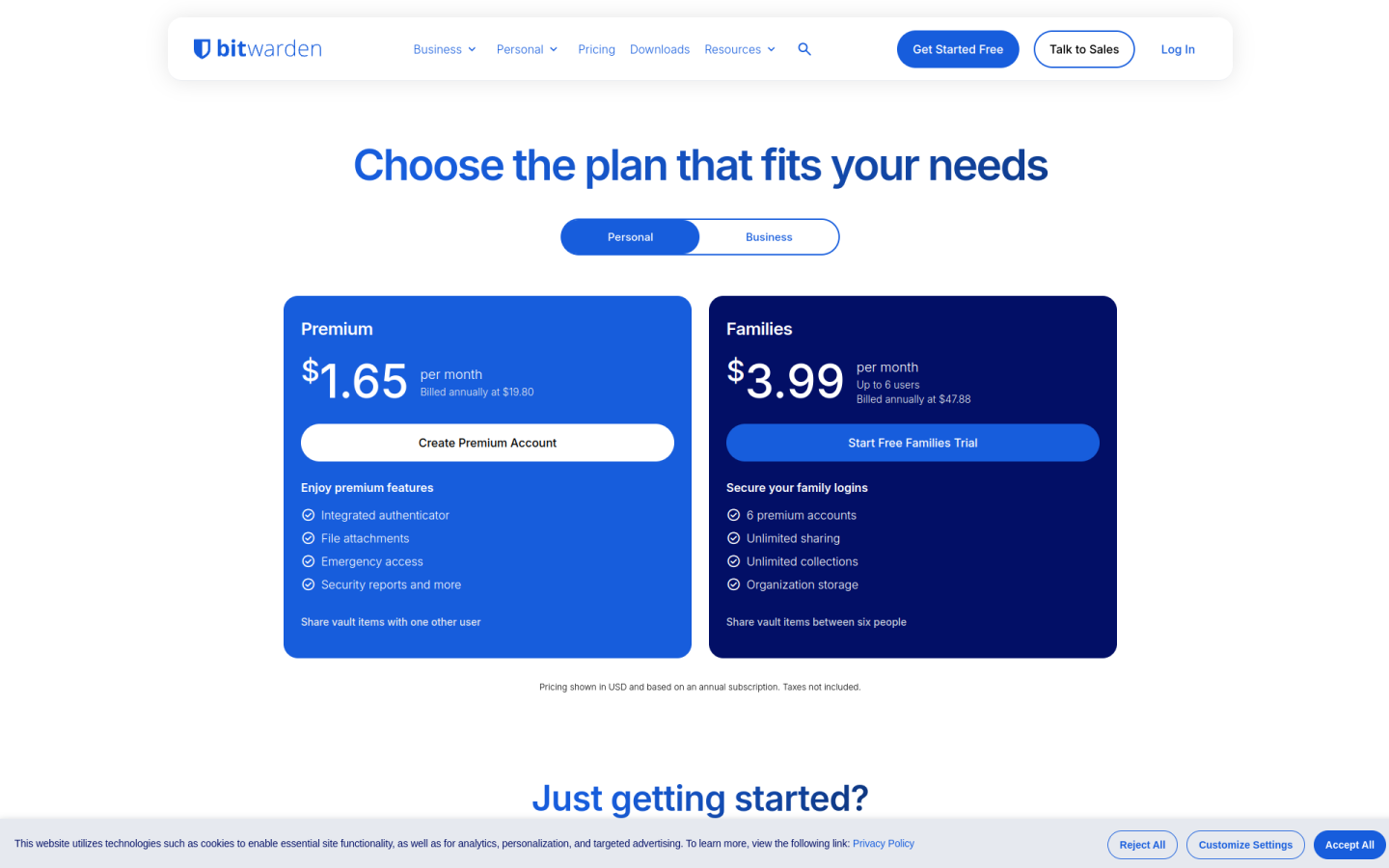
The Bitwarden pricing page is split into Personal and Business tabs, with low prices, an always-free plan and clear upgrade steps for individuals, families and companies:
1. Clear Hierarchy and Visual Appeal:
- Simple Headline: The page opens with “Choose the plan that fits your needs,” which keeps the focus on finding the right fit.
- Two Clear Tabs: Personal and Business tabs separate plans for individuals and families from plans for teams and companies, so each visitor only sees what applies to them.
- Short Plan Lines: Each card has a one-line summary, such as “Enjoy premium features” for Premium and “For teams and growing companies that need to move quickly” for Teams.
- Direct Calls to Action: Buttons say exactly what happens next: “Create Free Account,” “Create Premium Account” and “Start Free Trial.”
2. Value-Based Differentiation:
- Free: Offers basic password management on unlimited devices with unlimited passwords, “Always free.”
- Premium: Adds an integrated authenticator, file attachments with 5 GB of storage, emergency access and vault health reports.
- Families: Gives up to 6 people premium accounts, with unlimited sharing and collections and 5 GB of storage for family items.
- Teams: Adds centralized ownership, secure credential sharing, event logs, directory sync and SCIM provisioning.
- Enterprise: Adds granular access control, passwordless SSO, enterprise policies, self-hosting, Access Intelligence risk remediation and a free Families plan for every user.
3. Transparent Pricing:
- Personal Prices: Premium costs $1.65 per month, billed annually at $19.80, and Families costs $3.99 per month for up to 6 users, billed annually at $47.88.
- Business Prices: Teams costs $4 per user per month and Enterprise costs $6 per user per month, both billed annually.
- Annual Billing Focus: All prices are shown in USD on an annual subscription basis, and the page does not list separate monthly billing prices.
- Clear Fine Print: The page states that taxes are not included, so buyers know what the listed prices cover.
4. Addressing Different User Needs:
- Individuals on a Budget: The Free plan covers basic password management at no cost.
- Households: Families covers up to 6 people with shared vaults for one low yearly price.
- Growing Companies: Teams covers businesses that need to share credentials and manage users quickly.
- Large Organizations: Enterprise and the “Talk to Sales” option cover companies that need SSO, policies, self-hosting or a tailored plan.
5. Strategic Use of Limitations and Incentives:
- Free Trials: Families, Teams and Enterprise all offer a free trial, so buyers can test them before paying.
- Feature Gating: The authenticator, file attachments, emergency access and security reports are kept for paid plans, which gives free users a clear reason to upgrade.
- Built-In Bonus: Enterprise includes a free Families plan for all users, which adds value for staff at home.
- Trust Through Openness: The page highlights open-source code and zero-knowledge encryption in every account, along with 24/7 email support and priority support for paid users.
- Paid Storage Add-On: Extra file storage is available for an additional fee, so users only pay more when they need it.